Quick FPS fix
Fix low fps (stuck at 30 fps, 70 fps)
Sometimes Minecraft keeps broken skin slots loading forever. When that happens, your game can feel slow. Delete those loading slots, add normal skins back, then restart the game.
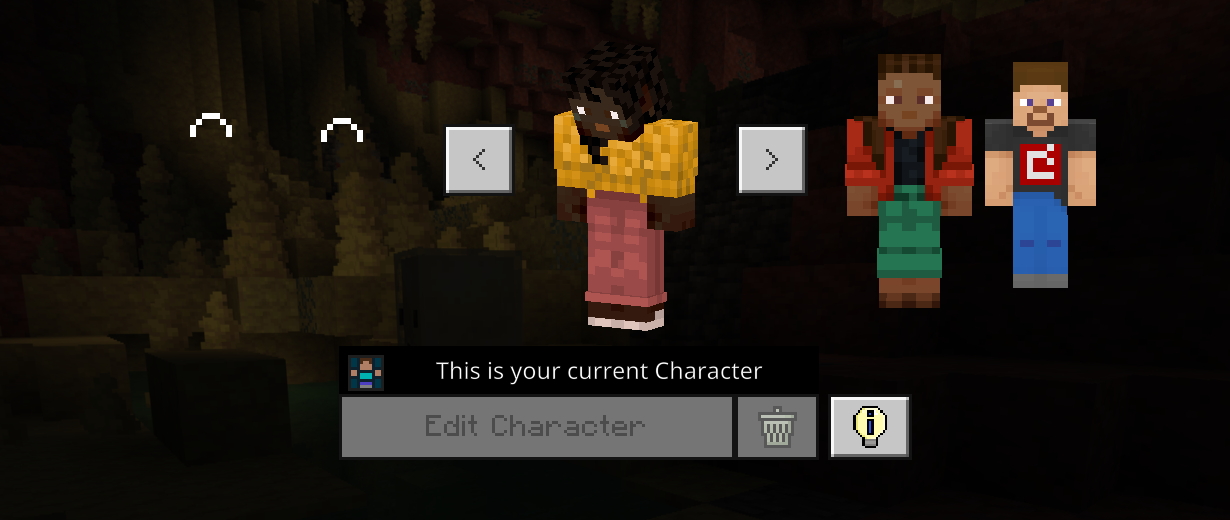
If you see loading icons like this on your skin slots, follow the steps below.
What to do
Easy steps
- 1
Open the skin picker
Go to your Minecraft character skins. Look at each skin slot.
- 2
Find loading slots
If a slot has a spinning loading icon and never loads, that slot may be hurting your FPS.
- 3
Delete the broken slots
Remove every skin slot that is stuck loading. Do not leave any broken loading slots there.
- 4
Add normal skins back
Fill the empty slots with a normal Minecraft skin. A simple default skin is fine.
- 5
Restart Minecraft
Close the game fully, then open it again. Your FPS should be better if this was the problem.
Done? Open Flarial again.
After restarting Minecraft, launch Flarial like normal and test your FPS.